Table of Contents
ToggleShark cordless vacuums have earned their place in thousands of homes, but even the best battery eventually loses its punch. If your runtime is shrinking or the vacuum won’t hold a charge, you’re probably dealing with battery wear, not a broken machine. Understanding how these batteries work, when to replace them, and how to squeeze every bit of life out of them can save you both money and frustration. This guide walks through everything a DIYer needs to know about Shark vacuum batteries, from specs and lifespan to replacement and troubleshooting.
Key Takeaways
- Shark vacuum batteries use lithium-ion chemistry with lifespans of 300–500 charge cycles (typically 2–4 years), but avoiding deep discharges, excessive heat, and overcharging can extend their durability significantly.
- Watch for shortened runtime, slow charging, power drops under load, and overheating as signs your Shark vacuum battery needs replacement—perform a discharge test and compare results to manufacturer specs.
- Extend your Shark vacuum battery life by charging at 20–30% intervals rather than full cycles, storing in cool, dry conditions (50–77°F), and using standard mode instead of boost mode for routine cleaning.
- Replacing a Shark vacuum battery is a simple, tool-free process: power off, press the release button, slide out the old pack, insert the new battery, and charge fully before first use.
- Choose between OEM batteries (guaranteed fit, $60–$100) or certified third-party packs (quality varies, $30–$60)—verify voltage and mAh ratings to ensure compatibility with your specific model.
- Before replacing your battery, troubleshoot common issues: clean charging contacts, test the charger with a multimeter, clear clogs and filters, and reseat the battery to rule out other causes of poor performance.
Understanding Shark Vacuum Battery Types and Specifications
Shark uses lithium-ion batteries across its cordless lineup, the same chemistry found in power tools and laptops. These batteries deliver consistent power until nearly depleted, unlike older nickel-cadmium cells that fade gradually.
Most Shark models run on proprietary battery packs rated between 25.2V and 43.2V, depending on the series. The Shark ION series typically uses lower-voltage packs (around 25.2V), while newer models like the Shark Vertex and Stratos bump up to higher voltages for stronger suction and longer runtime. Capacity is measured in milliamp-hours (mAh), usually ranging from 2,000 mAh to 3,500 mAh. Higher mAh means more runtime per charge.
Each battery pack includes built-in circuitry to prevent overcharging and manage cell balance. That’s why you can’t swap in generic drill batteries, the voltage, form factor, and communication protocol are model-specific. Check the model number on your battery (usually printed on the pack itself) before ordering a replacement. It’ll be something like ION Power Pack or a Vertex-specific pack with a distinct connector design.
Battery chemistry matters for storage, too. Lithium-ion cells degrade faster when stored fully charged or completely drained. If you’re shelving the vacuum for weeks, aim for a 50–60% charge to maximize long-term health.
How Long Do Shark Vacuum Batteries Last?
Expect a Shark vacuum battery to deliver 300 to 500 full charge cycles before noticeable capacity loss. In real-world terms, that translates to roughly two to four years of regular use, assuming you’re charging two to three times per week.
Runtime per charge varies by model and power mode. Entry-level ION models might give you 20–30 minutes on standard mode, while premium units like the Stratos can push 40–60 minutes on low power or 15–20 minutes in boost mode. Over time, those numbers drop. A battery at 80% health might only deliver 16 minutes in boost mode instead of the original 20.
Several factors accelerate degradation:
- Deep discharges: Running the battery to zero every time shortens lifespan. Lithium-ion cells prefer shallow cycles.
- Heat exposure: Storing the vacuum in a hot garage or attic breaks down cell chemistry faster.
- Overcharging: Leaving the battery on the charger for days at a time stresses the cells, even with built-in protections.
- Heavy use in boost mode: Max-power mode drains the battery fast and generates more heat, both of which speed wear.
If you vacuum a 2,000-square-foot home twice weekly on standard mode, you’ll likely hit year three before needing a replacement. Daily use or frequent boost mode can cut that timeline in half.
Signs Your Shark Vacuum Battery Needs Replacement
Batteries don’t quit overnight, they fade. Here’s what to watch for:
- Shortened runtime: If your vacuum used to run 30 minutes and now dies after 12, the cells have lost capacity.
- Slow or no charging: A battery that takes twice as long to charge or won’t reach 100% is failing. The indicator lights might flash erratically or stay amber instead of turning green.
- Power drops under load: The vacuum runs fine on hardwood but cuts out when you hit carpet, indicating the battery can’t sustain peak current draw.
- Overheating during use or charging: Warm is normal: hot to the touch isn’t. Overheating signals internal resistance buildup.
- Swelling or physical damage: Any bulging, cracking, or leaking means stop using it immediately. Lithium-ion cells can vent or, in rare cases, catch fire when damaged.
One test: Fully charge the battery, then run the vacuum on standard mode until it dies. Time it. Compare that to the manufacturer’s spec for your model. If you’re getting less than 70% of rated runtime, replacement is due.
Keep in mind that the charger itself can fail. If the battery won’t charge, try cleaning the contacts with a dry cloth. Corrosion or dust buildup can block current flow. If the charger’s LED doesn’t light up at all, test it with a multimeter or borrow a known-good charger before buying a new battery.
How to Extend Your Shark Vacuum Battery Life
A few smart habits can add months, even a year, to your battery’s useful life.
Charge strategically. Don’t wait until the battery is completely dead. Recharge when it hits 20–30% remaining. Partial charges are easier on lithium-ion chemistry than full 0–100% cycles. Remove the battery from the charger once it hits 100% instead of leaving it plugged in overnight.
Store in a cool, dry place. Heat is the enemy. A climate-controlled closet beats a sweltering garage. If you’re not using the vacuum for a month or more, store the battery at around half charge in a temperature between 50°F and 77°F.
Use the right power mode. Standard mode handles most jobs and sips power. Save boost mode for thick carpet or stubborn debris. According to guidance from Popular Mechanics, running tools at max power consistently shortens battery longevity across all cordless platforms.
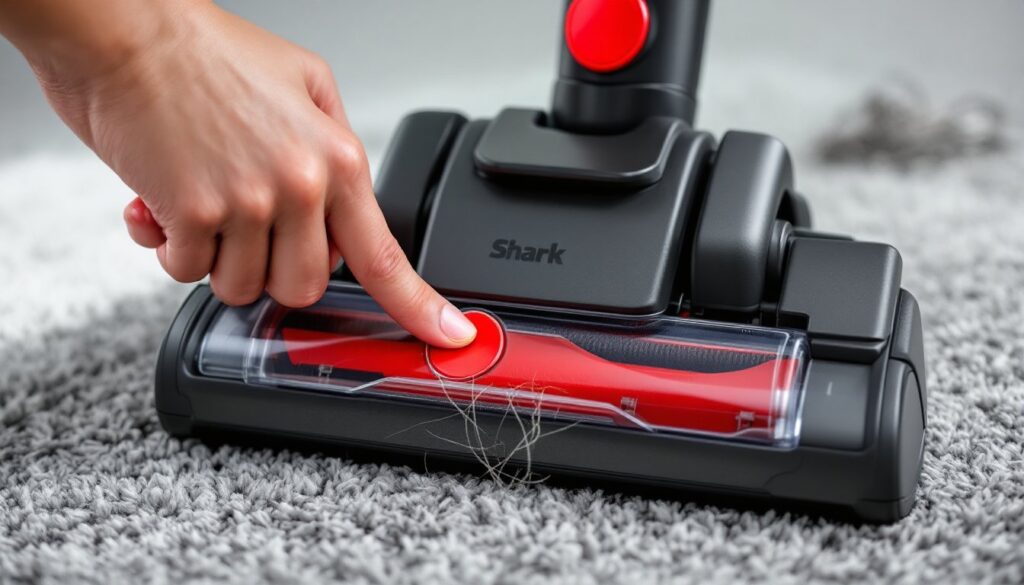
Keep the vacuum clean. Clogs, dirty filters, and tangled brushrolls force the motor to work harder, drawing more current and generating heat. Empty the dust cup after every use, rinse or replace filters monthly, and check the brushroll for hair wraps weekly.
Avoid extreme temperatures during use. Don’t vacuum in freezing outdoor spaces or store the vacuum in direct sunlight. Cold reduces capacity temporarily: heat causes permanent damage.
Cycle the battery occasionally. If you use the vacuum lightly, do a full 0–100% cycle every month or two to recalibrate the battery management system. This keeps the charge indicator accurate.
Replacing Your Shark Vacuum Battery: Step-by-Step Guide
Swapping a Shark battery is straightforward, no soldering or electronics work required. Most models use a plug-and-play pack that slides or clips into the vacuum body.
Tools needed:
- Replacement battery (OEM or compatible third-party pack)
- Small flathead screwdriver (for some models)
- Clean, dry cloth
Step-by-step:
- Power off and unplug. Make sure the vacuum is off and disconnected from the charger.
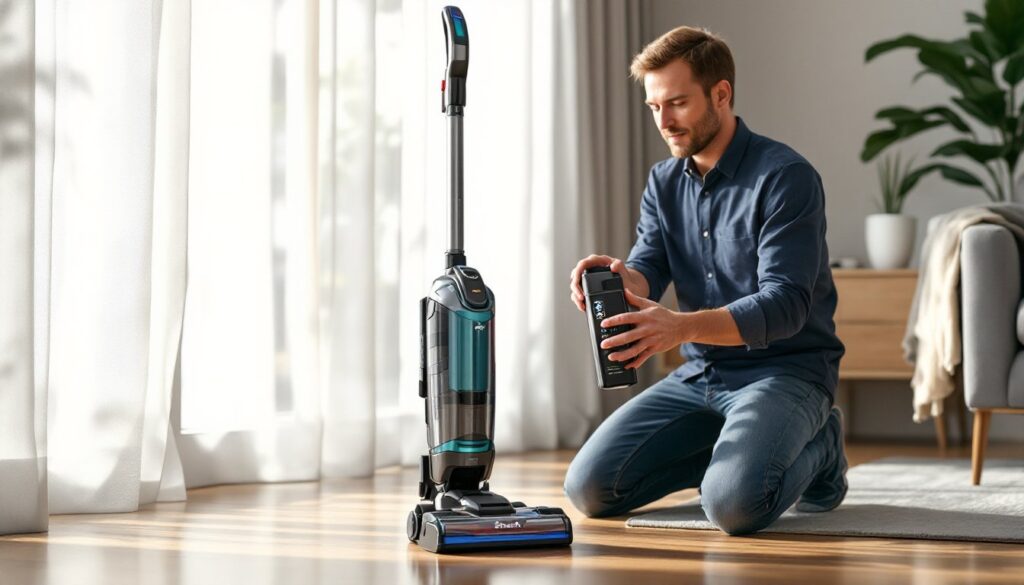
- Remove the old battery. Most Shark cordless models have a release button or latch near the battery. Press it and slide the pack out. Some older ION models require you to remove a small cover plate with a screwdriver first. Check your user manual for the exact release mechanism.
- Inspect the contacts. Look at the metal terminals inside the vacuum and on the battery. Wipe off any dust or corrosion with a dry cloth. Dirty contacts can cause intermittent power or charging issues even with a new battery.
- Insert the new battery. Align the pack with the slot and slide it in until you hear or feel a click. Tug gently to confirm it’s seated.
- Charge fully before first use. Plug in the vacuum and let the new battery complete a full charge cycle. This helps calibrate the battery management system.
- Dispose of the old battery responsibly. Lithium-ion batteries are recyclable but shouldn’t go in household trash. Many hardware stores, electronics retailers, and municipal recycling centers accept them. Some ship-back programs let you mail old packs for free.
Choosing the Right Replacement Battery
You have two main options: OEM (original equipment manufacturer) batteries and third-party compatible packs.
OEM batteries are sold directly by Shark or authorized retailers. They’re guaranteed to fit and meet the original specs, but they cost more, typically $60–$100 depending on the model. Warranty coverage usually extends to OEM parts.
Third-party batteries from brands like Powerextra, LENOGE, or YABER can run $30–$60. Quality varies. Look for packs with UL or CE certification, which indicates they’ve passed basic safety testing. Read reviews carefully: some cheap knockoffs deliver half the advertised runtime or fail within months. High-quality third-party options often match OEM performance at a lower price.
Check the voltage and mAh rating to ensure compatibility. A 25.2V Shark ION won’t work with a 43.2V Vertex battery, even if the connector looks similar. Cross-reference the part number printed on your old battery or consult Shark’s support page for your model.
If your vacuum is still under warranty, using a third-party battery might void it. Check the fine print before you buy.
Troubleshooting Common Shark Vacuum Battery Issues
Before you replace a battery, rule out other causes. Here’s how to diagnose common problems.
Battery won’t charge:
- Clean the charging contacts on both the battery and the dock with a dry cloth or cotton swab dipped in isopropyl alcohol.
- Test the charger with a multimeter. It should output the voltage listed on its label (usually 30–45V DC). No output means the charger is dead, not the battery.
- Try charging in a different outlet. GFCI outlets or surge protectors can sometimes interfere.
Vacuum runs for a few seconds, then stops:
- Check for clogs in the hose, wand, or brushroll housing. A blockage forces the motor to draw excessive current, triggering a thermal shutoff.
- Remove and rinse the filters. Clogged HEPA or foam filters restrict airflow and overheat the motor.
- Let the vacuum cool for 30 minutes. Shark models have thermal protection that cuts power if the motor gets too hot.
Battery indicator lights flash or blink:
- Flashing lights often indicate a communication error between the battery and the vacuum. Remove and reseat the battery firmly.
- Some models flash to signal overheating. Let the battery cool before charging or using.
- Rapid blinking during charging can mean the battery is too cold. Move it to room temperature and try again.
New battery doesn’t fit or won’t click in:
- Double-check the model number. Shark uses different pack designs across product lines. An ION battery won’t fit a Vertex, even if the voltage matches.
- Inspect the alignment tabs and connector pins. If they’re bent or broken, the pack won’t seat.
Battery drains faster than expected:
- Run a full discharge test in standard mode on a clean floor. If runtime is within spec, your expectations might be off, boost mode and thick carpet both cut runtime significantly.
- Ensure you’re using the correct power mode. Some models default to max power after charging.
- Firmware updates (available for select Wi-Fi-enabled models) can optimize battery management. Check Shark’s app or support site.
For safety: If a battery pack smells burnt, hisses, or swells visibly, stop using it immediately and store it outdoors away from flammable materials until you can dispose of it properly. Lithium-ion failures are rare but serious. Homeowners relying on tools like those reviewed by Today’s Homeowner know that battery maintenance and timely replacement prevent most issues before they start.